


 487
487


Equipping a modern workforce with reliable technology requires balancing hardware performance with smart budget management. Pre-owned universal laptop docking stations deliver a practical solution for IT procurement managers looking to streamline office setups without overspending. Designed to transform standard laptops into fully functional desktop workstations, these units provide seamless multi-peripheral connectivity across diverse hardware environments.
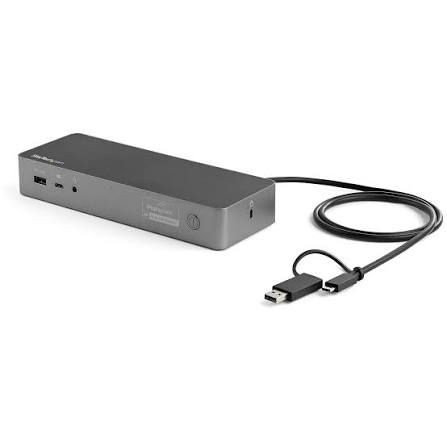
Our inventory of pre-owned docking stations features versatile port layouts, including HDMI, DisplayPort, Gigabit Ethernet, and USB-C or Thunderbolt connections. By routing high-definition dual monitor displays, high-speed data transfer, and power delivery through a single cable, team members spend less time configuring cables and more time executing core business operations.
Modern enterprises rarely rely on a single laptop model. Universal docks bridging Windows, macOS, and Linux platforms eliminate hardware friction in flexible working environments, hot-desking setups, and shared office spaces. Buying pre-owned platforms allows IT departments to deploy uniform desktop setups across various teams while staying within operational expenditure limits.
Every unit undergoes systematic diagnostic checks to verify signal clarity, port stability, and power distribution. Sourcing tested, pre-owned business docks gives procurement teams access to tier-one enterprise brands at a fraction of standard retail costs, maximizing hardware lifetime value while supporting sustainable IT hardware sourcing strategies.
Are pre-owned universal docking stations compatible with mixed laptop brands?
Yes. Universal USB-C and DisplayLink-enabled docking stations work across major operating systems and brands, including Dell, Lenovo, HP, and Apple hardware, making them ideal for mixed fleet environments.
How do used docking stations benefit bulk corporate purchases?
Procuring pre-owned hardware reduces technology acquisition costs significantly compared to purchasing new units, allowing organizations to stretch IT budgets further while maintaining reliable workstation standards.

Have a question or need a quote? Fill out this form and our team will get back to you quickly!